Halloween Pumpkin Carving Contest · Starts October 1st · $500 in prizes
← Back to ideas
@ai_concepts
Jul 15, 2026
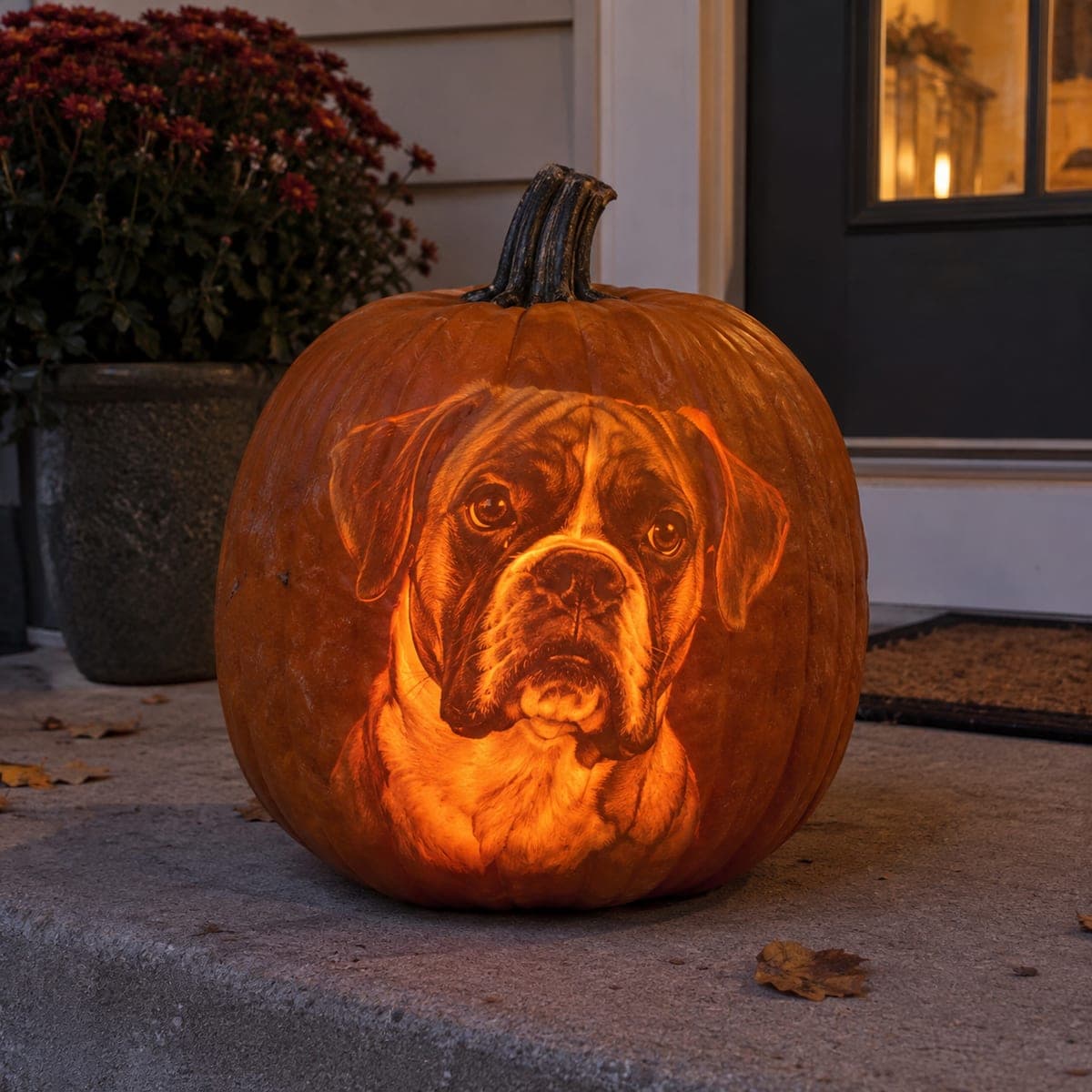
Soulful Boxer Dog Face Etched Pumpkin PortraitAI
0

Soulful Boxer Dog Face Etched Pumpkin Portrait

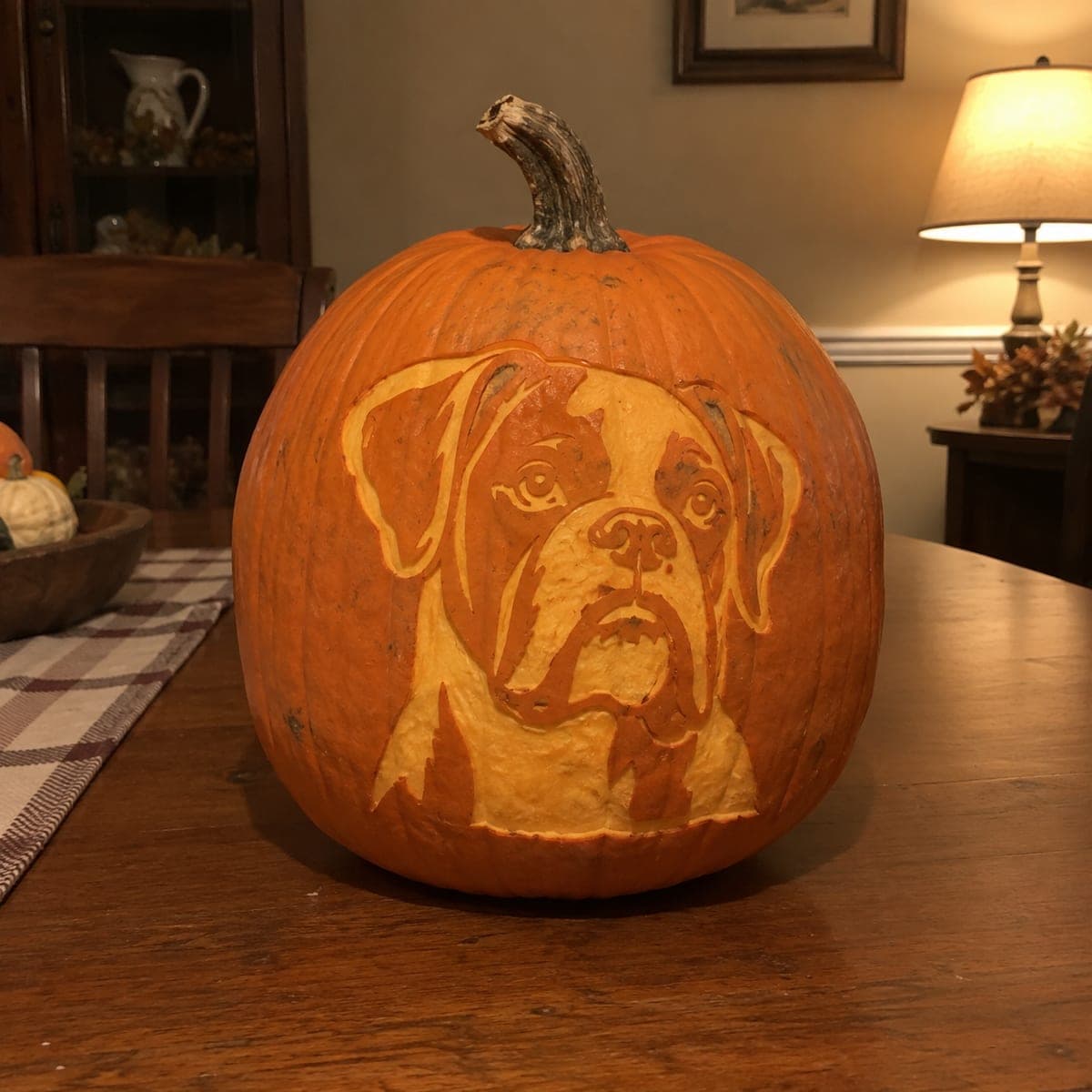
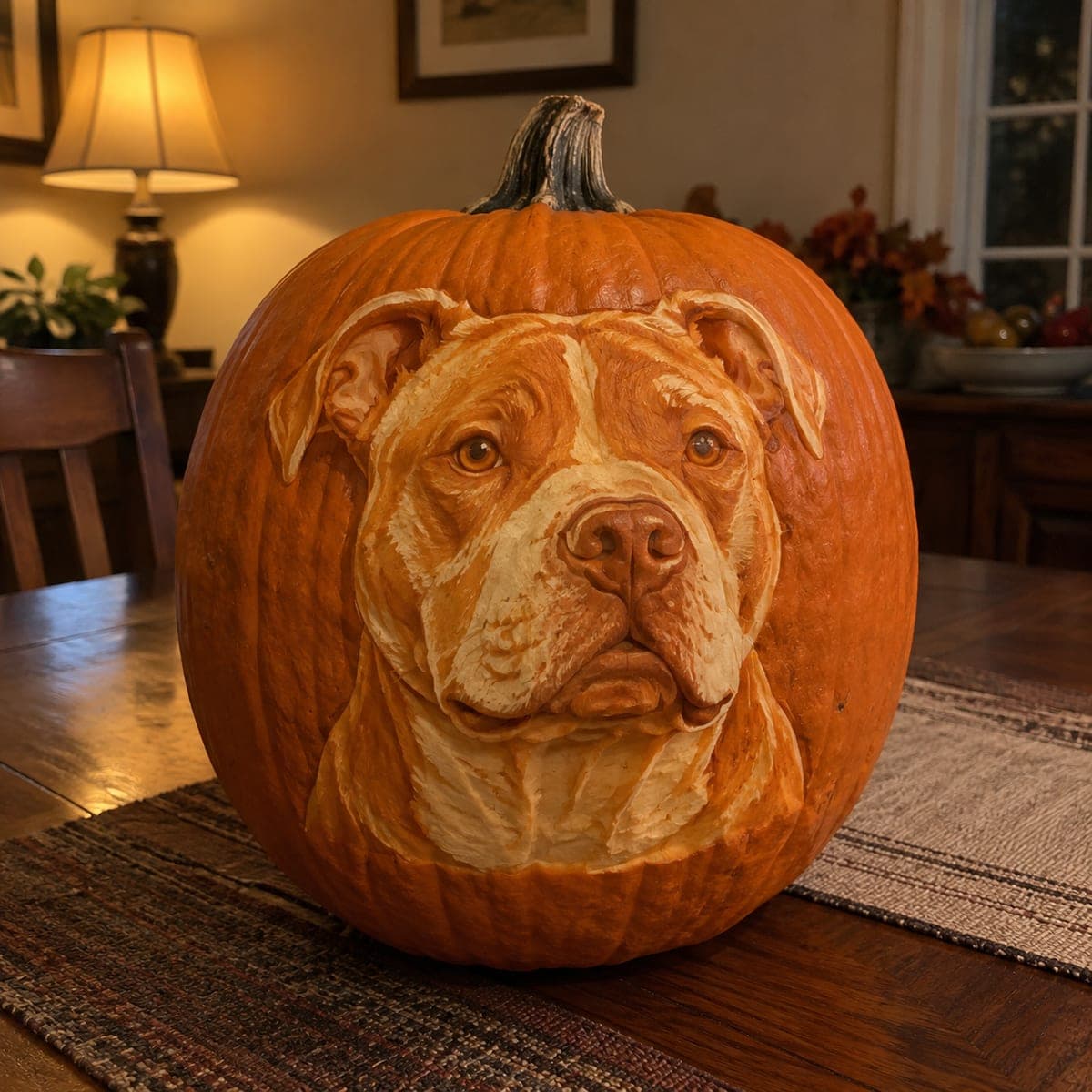
A boxer gazes out of this pumpkin with soulful eyes, its wrinkled brow, drooping jowls, and white blaze all rendered in finely graded etching that glows like a sepia photograph. Depth control does everything here; the thinnest areas become the brightest fur. Work from a well-lit photo of the dog, etch the midtones first, then push the highlights nearly through the wall and leave the eyes dark and glassy.

This is an AI-generated concept image: a realistic, carvable design idea rather than a photo of a finished carve. AI concepts are always labeled and sit out the leaderboard and the contest.

No ratings yet · Sign in to rate

Comments (0)

  • No comments yet — be the first.

Save without an account. Sign in to like or comment.

Our tips for carving a similar design

The whole effect here is depth control, not cutting. You never punch all the way through the wall except in tiny spots, so the boxer's face reads like a glowing sepia photo where the thinnest shaved areas turn brightest. Map the dog in three or four tones from a clear photo, etch the midtones first, then carve toward the highlights and save the darkest features for last.

Written by PumpkinCarvingIdeas.com, inspired by the image above. These are our suggestions, not instructions from the uploader. This approach to the AI concept has not been tested on a real pumpkin.

From pumpkin to porch

  1. Prep the pumpkin and pick a face-on photo

    Choose a large pumpkin with a smooth, evenly rounded front and no deep ribbing across the face area. Since this is an AI concept and no real pumpkin exists, plan your own version around a clear, well-lit head-on photo of a boxer. Cut a lid in the back or bottom, not the top, so the carved front stays unbroken. Scoop the inside wall down to about one inch so light passes through your shaved areas.

  2. Transfer a tonal map, not just outlines

    Print or draw a stencil that marks zones of light and dark rather than simple lines. Tape it flat to the front, poke or trace the boundaries of the brow wrinkles, muzzle, white blaze, and jowls. Mark the eyes clearly so you remember to leave them dark. Remove the pattern and lightly score the main boundaries so you can still see them once you start shaving.

  3. Shave the midtones first

    Use a ribbon or gouge tool to peel just the skin off the medium-brightness areas like the sides of the face and the shaded fur. Keep a steady, shallow depth so these zones glow a soft, even orange. Work in small strokes and check often against your reference. This layer sets the overall shape before you commit to bright highlights.

  4. Push the highlights nearly through the wall

    For the white blaze, the bright chest, and the muzzle highlights, thin the wall down until it feels slightly flexible and translucent when you hold a light behind it. Go slowly here, removing a little at a time, because you cannot add flesh back. These are the brightest parts of the portrait and should read almost white. Leave thin bridges of thicker flesh between highlight zones so the face keeps its structure.

  5. Leave the eyes and nose dark and glassy

    Do not shave the eyes or the deepest folds of the nose and jowl shadows. Untouched skin stays dark and gives the boxer its soulful, glassy stare against the glowing fur. Add only the tiniest cut-through catchlight in each eye if you want a spark, keeping it small so the gaze stays soft. Refine the brow wrinkles by varying how deep you shave along each fold.

  6. Light it and photograph at dusk

    Drop in a bright LED or two, never a candle, since the thin walls can scorch. Warm white light gives the sepia-photo feel you want. Set the pumpkin on a porch step at dusk and shoot with the surrounding light low so the face carries the glow. Rotate the LED until the highlights on the muzzle and chest pop evenly.

Gather your supplies

Check things off as you get ready.

Work on a stable surface, keep your free hand out of the cutting path, and have an adult handle sharp tools.

Three levels of light

  • Leave intact

    The eyes, nostrils, and deepest jowl and brow shadows stay untouched and dark for the soulful gaze.

  • Peel & shade

    The sides of the face, ears, and mid-tone fur get skin-peeled for a soft orange glow.

  • Cut through

    The white blaze, muzzle highlights, and bright chest get shaved nearly through for the brightest near-white glow, with only tiny true cutouts for eye catchlights.

Learn the carving basics

Before you start cutting

How do I keep the fur looking realistic instead of flat?

Work in at least three tones and let the boundaries between them stay soft rather than hard-edged. Vary your shaving depth gradually so the fur fades from bright to dark the way it does in your photo. Stepping back to check against the reference every few minutes helps you catch flat spots early.

How thin is too thin for the highlight areas?

Thin the wall until it flexes slightly and clearly glows when you hold a light behind it, but stop before it feels papery or tears. Aim for roughly an eighth of an inch in the brightest spots. Because you cannot rebuild flesh, remove a little, test the light, and repeat.

Why leave the eyes dark instead of cutting them out?

The soulful stare depends on contrast, so dark untouched eyes against glowing fur read as depth and life. Cutting them fully open would blow them out with light and flatten the expression. A single tiny catchlight cut in each eye is all you need for a spark.

Your take belongs here, too.

Changed a detail? Made it simpler? Share a photo of your version and tell the community what worked.

Share your pumpkin

More pumpkins like this

You've reached the end · 8 pumpkins
The Patch Report

Fresh pumpkins, in your inbox.

The best new carvings, ideas worth stealing, and how-tos for carving season. Short, seasonal, and gone by November.

A short email during carving season. Unsubscribe anytime. See our privacy policy.